WinOps Toolkit
Developer toolbox for macOS
SSH, databases and Kubernetes in one native Mac app
In review - coming soon
Overview
WinOps Toolkit is a native macOS workspace for developers and system administrators. SSH terminals with SFTP, MySQL, PostgreSQL, SQLite, Redis and Kubernetes live in one fast app: no browser tabs, no Electron shell, and one window with a tab for every connection.
Connections are organised in groups in the sidebar and open with a double-click. SSH supports passwords or private keys; MySQL and PostgreSQL can connect directly or through an SSH tunnel; Redis is searched by pattern; SQLite opens local files; and the Kubernetes view reads your existing kubeconfig to show pods, logs and YAML. Everything stays on your Mac, the interface speaks nine languages, and the appearance follows light, dark or the system.
Screenshots
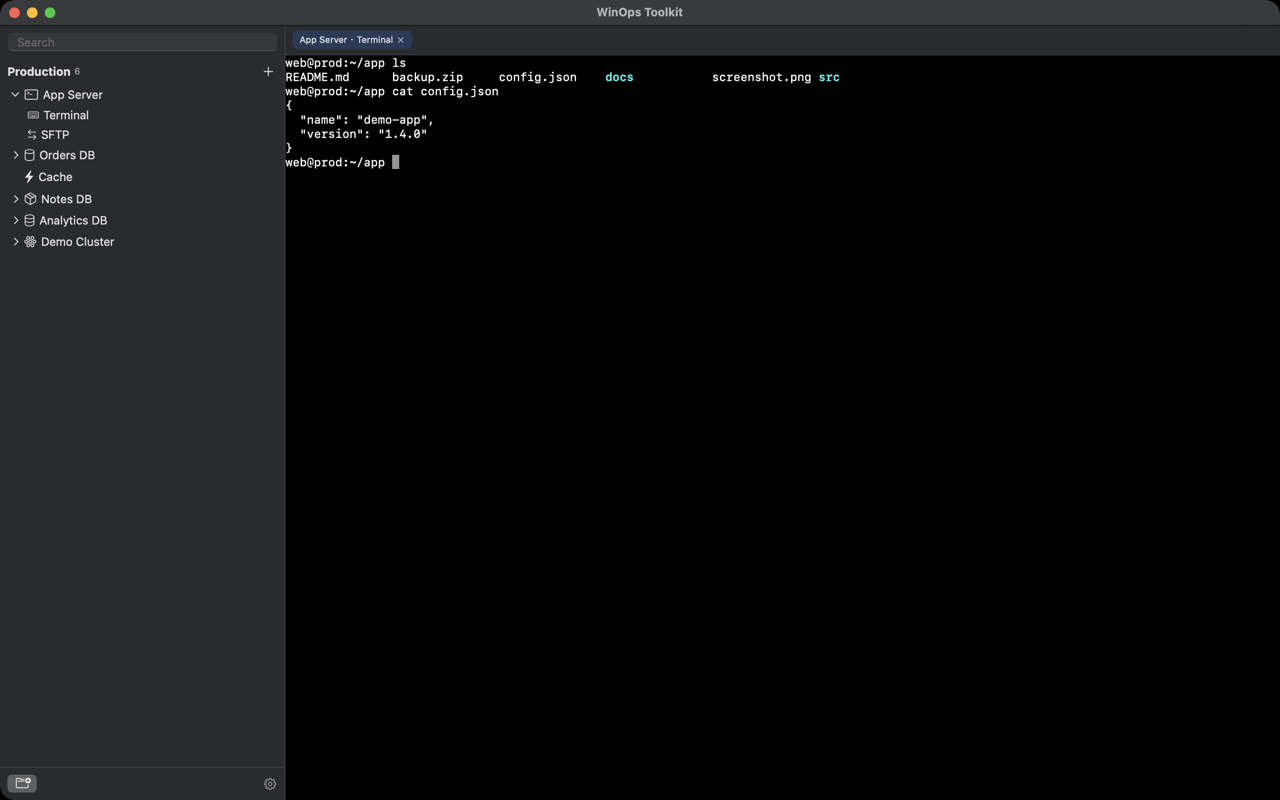
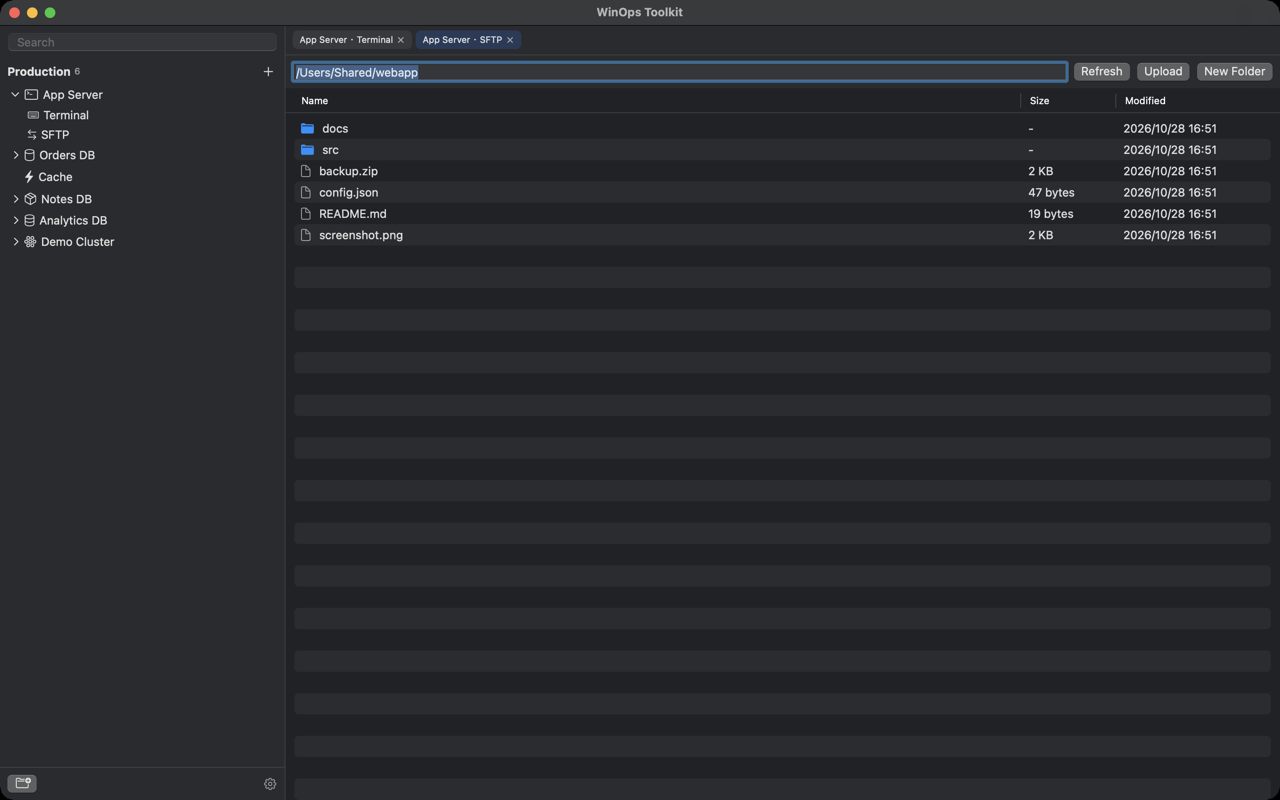
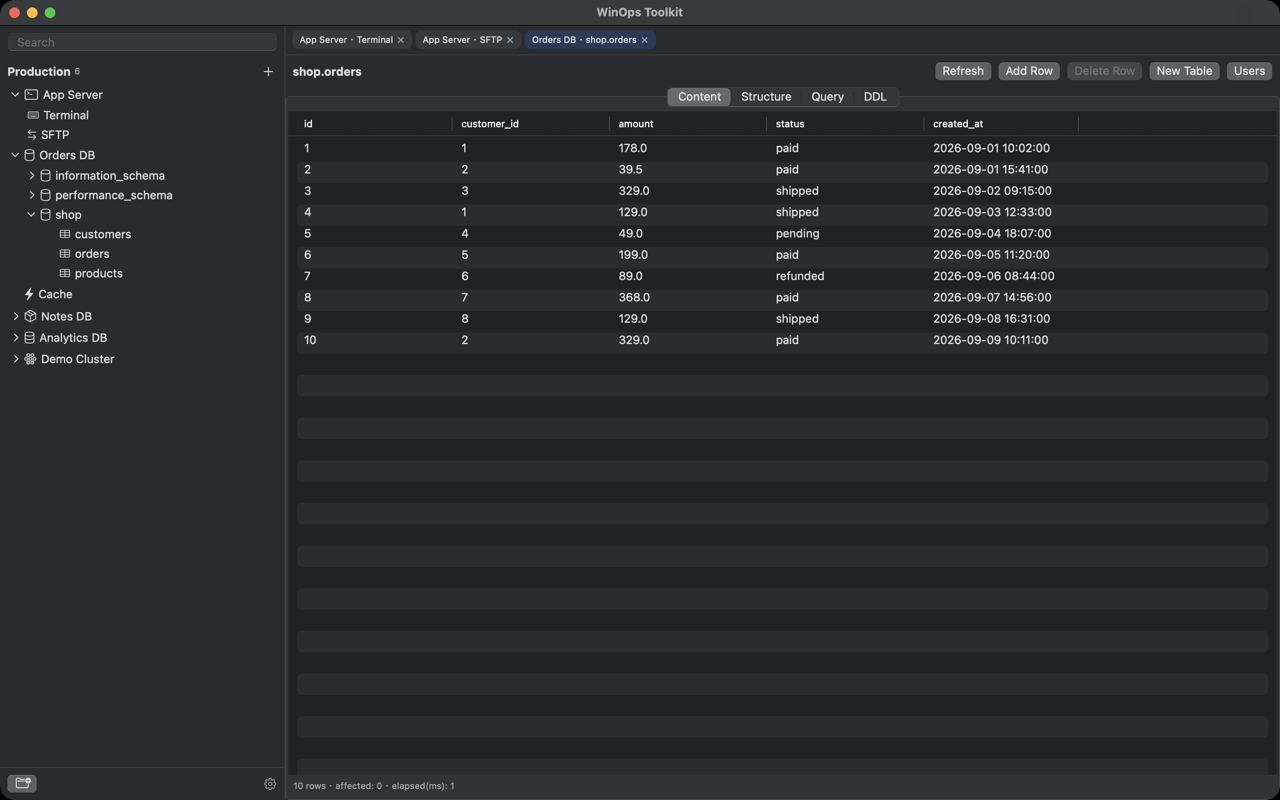
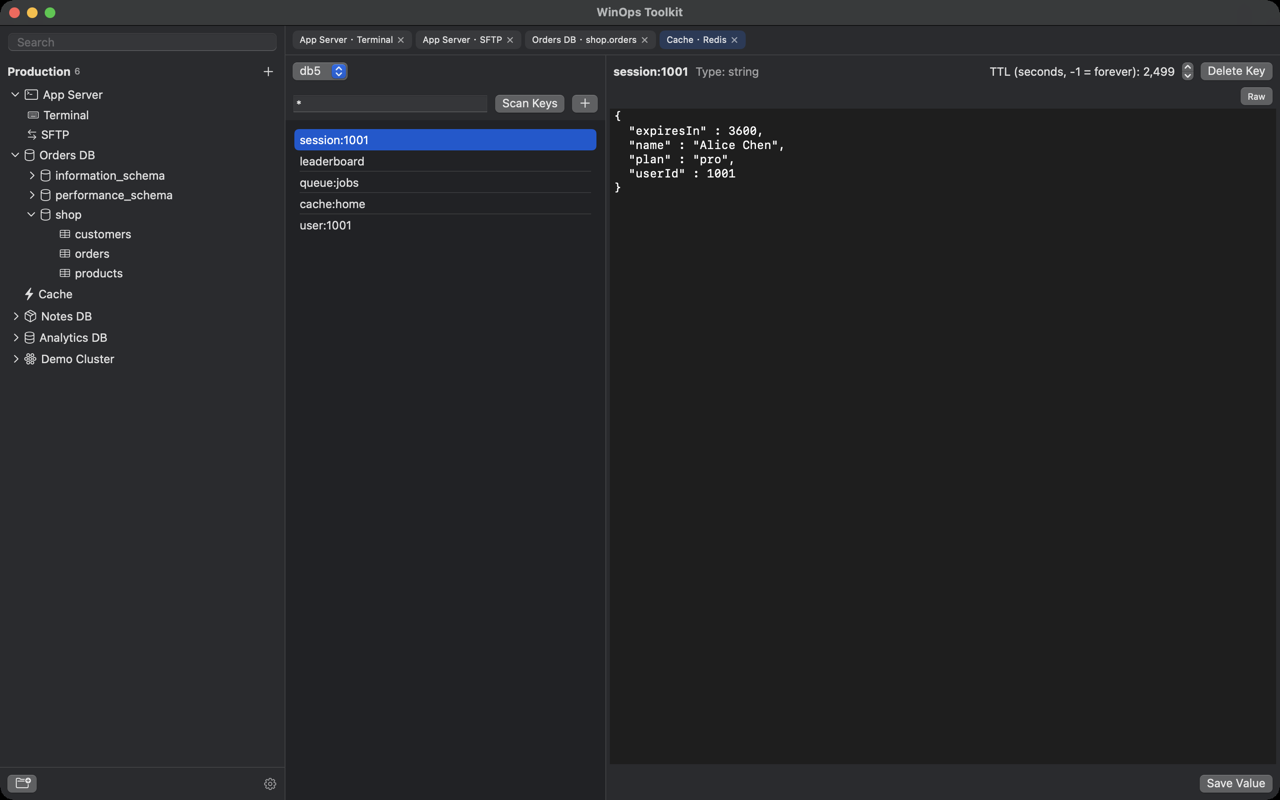
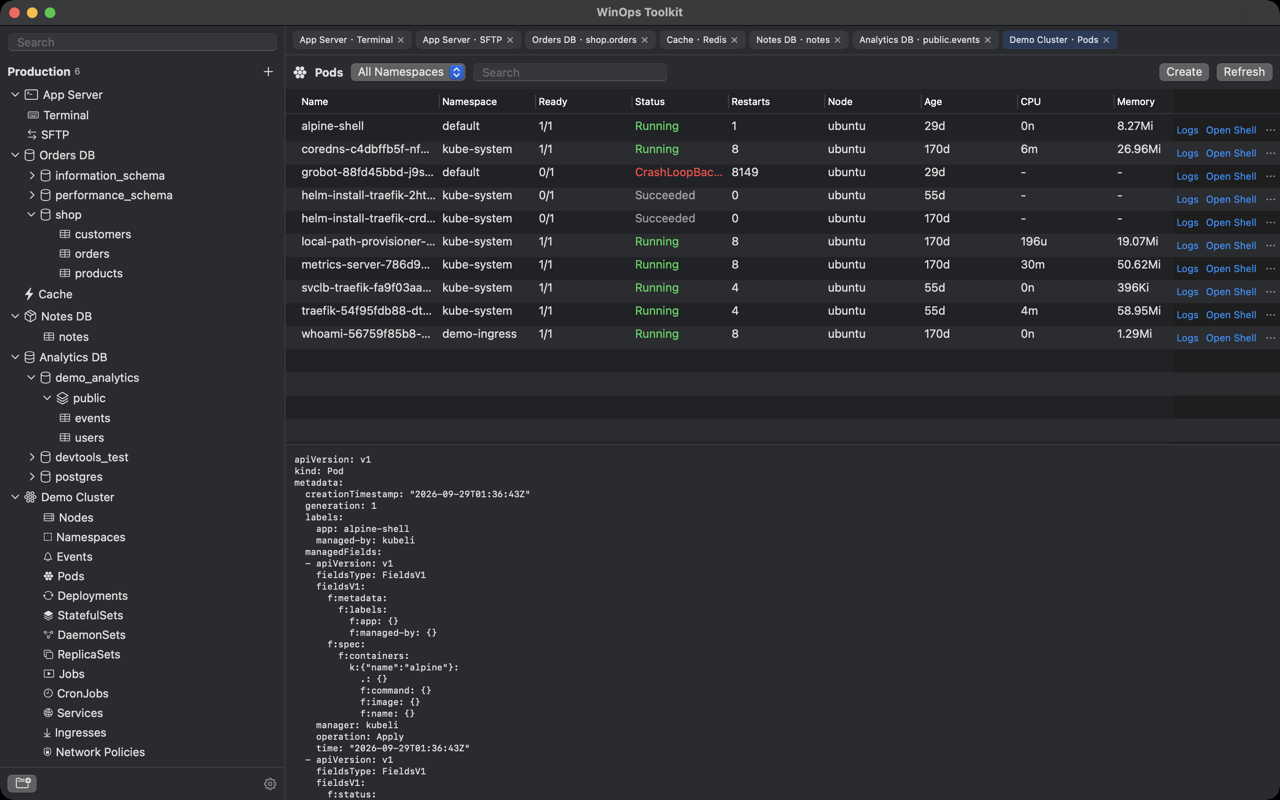
The screenshots on this page are captured from WinOps Toolkit running on macOS, with the interface shown in English.
What it does
SSH terminal with SFTP
Log in with a password or a private key, including passphrase-protected keys. Sessions open in native tabs, and the built-in SFTP browser uploads, downloads, renames, deletes and creates folders without a second client.
MySQL and PostgreSQL
Connect locally or through an SSH tunnel. Browse databases, schemas, tables, columns and indexes, run SQL in an editor with a result grid, insert, edit and delete rows, and inspect the DDL behind each table.
Redis and SQLite
Scan Redis keys by pattern, read and edit string, list, hash, set and sorted-set values, and set a TTL. SQLite opens a local database file, manages tables and columns, and edits rows in place.
Kubernetes in the same window
Browse nodes, namespaces, pods, deployments, stateful sets, daemonsets, services and ingresses. See live pod status, restarts, CPU and memory, read container logs, open a shell in a pod, forward ports and edit YAML.
Native, not a web wrapper
Built with SwiftUI and AppKit rather than a browser engine, so the download is small, the window opens instantly and memory use stays low. Light, dark and system appearance are all included.
Local first, no account
There is no sign-up, no advertising and no analytics SDK. Connections, credentials and settings live in a file on your Mac, and the app only reaches the network for the servers you connect to.
Details at a glance
- Platforms
- macOS 15.0 or later; a universal build for Apple silicon and Intel Macs
- Languages in the app
- English, Simplified Chinese, Traditional Chinese, Japanese, Korean, French, German, Spanish, Portuguese - switchable inside the app
- Where your settings live
- A local JSON file in Application Support, on your Mac only; nothing is uploaded
- Account required
- No
- Pricing
- Free
- Category
- Developer Tools - SSH, databases and Kubernetes
Privacy and your data
WinOps Toolkit stores your connection profiles - names, hosts, ports, user names, credentials, database and cluster settings and group names - and your interface settings in two JSON files inside the application's own folder in Application Support on your Mac. We do not operate a server that receives this content, so we cannot see or recover it, and these files leave your Mac only if you copy them yourself. The app connects only to the hosts, databases and Kubernetes clusters you configure.
Passwords and private keys are currently stored in that local file without additional encryption, so enable disk encryption such as FileVault and do not share the file. Deleting the application together with its support folder removes the connections completely. The app contains no advertising, no analytics SDK and no third-party tracking.
Read the user agreement and privacy policy in nine languages
Questions and answers
Which services can I manage with WinOps Toolkit?
SSH and SFTP, MySQL, PostgreSQL, SQLite, Redis and Kubernetes. Each connection lives in a group in the sidebar and opens in its own tab.
Does it need an internet connection?
Only to reach the servers, databases and clusters you connect to. SQLite files and the app itself work offline.
Where are my passwords stored?
In a local JSON file in the application's Application Support folder on your Mac. They are not uploaded anywhere, but they are not additionally encrypted, so enable FileVault and keep the file private.
Can I reach a database through an SSH server?
Yes. MySQL and PostgreSQL connections can use any SSH connection you have already configured as a tunnel, with a local port forwarded automatically.
Is there a subscription or advertising?
No. WinOps Toolkit is free, has no advertising and no account. There is nothing to subscribe to or restore.
Who do I contact if something is wrong?
Email contact@yingzhichu.com or call +86 18515331983 during business hours. Tell us your macOS version, the app version and the type of connection that is affected.