Petexpense
Pet expense tracker
Know what each cat or dog actually costs
In review - coming soon
Overview
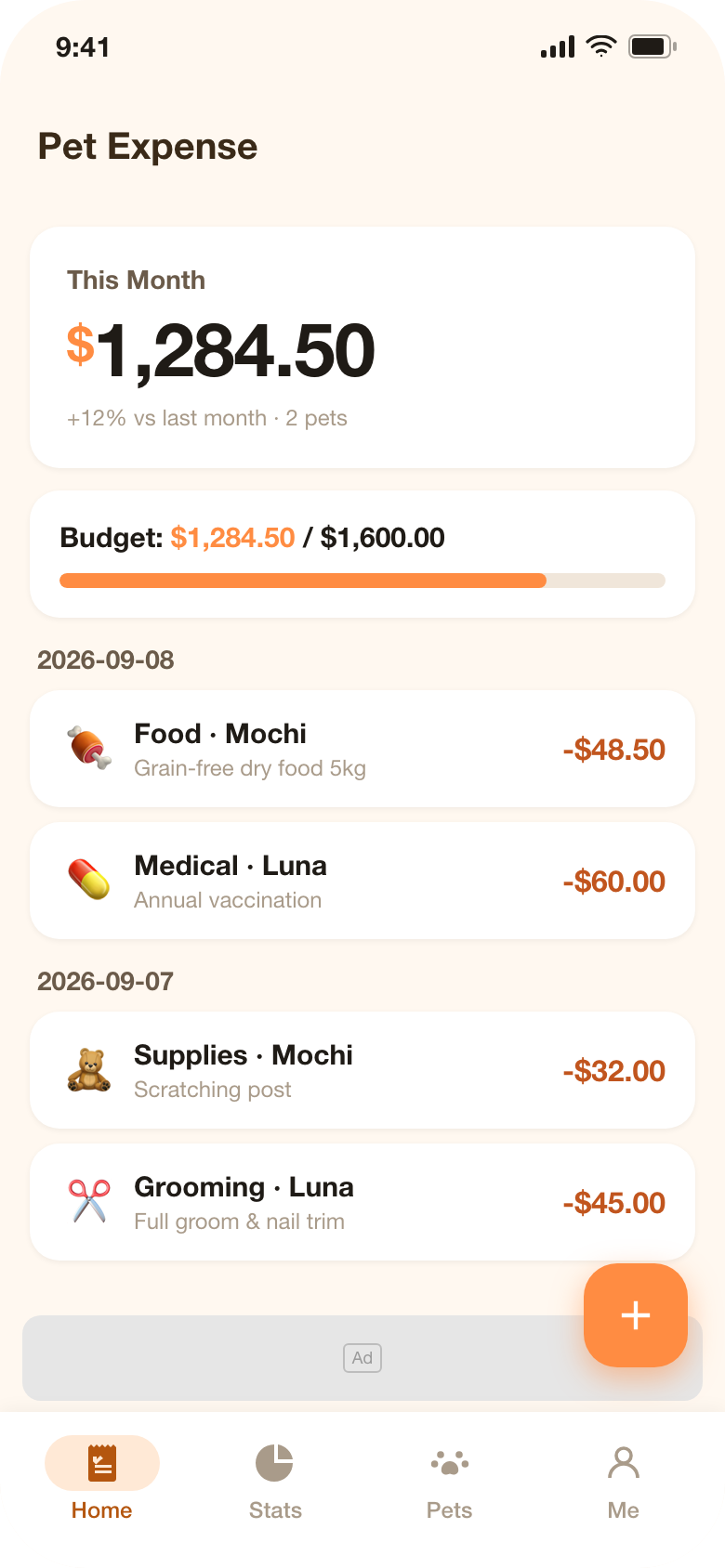
Petexpense is a spending tracker for households with more than one animal. Instead of one anonymous pile of expenses, every entry belongs to a pet: food, veterinary care, supplies, grooming, insurance or everything else, recorded from a panel that opens over the list so you never leave the screen you were on.
The home tab shows the month so far, how close you are to the budget you set and the latest entries. The statistics tab turns the same data into a category chart with month-on-month comparison, and lets you compare pets side by side. Everything is stored in a database on the device: there is no account, no sign-in and nothing uploaded to us.
Screenshots
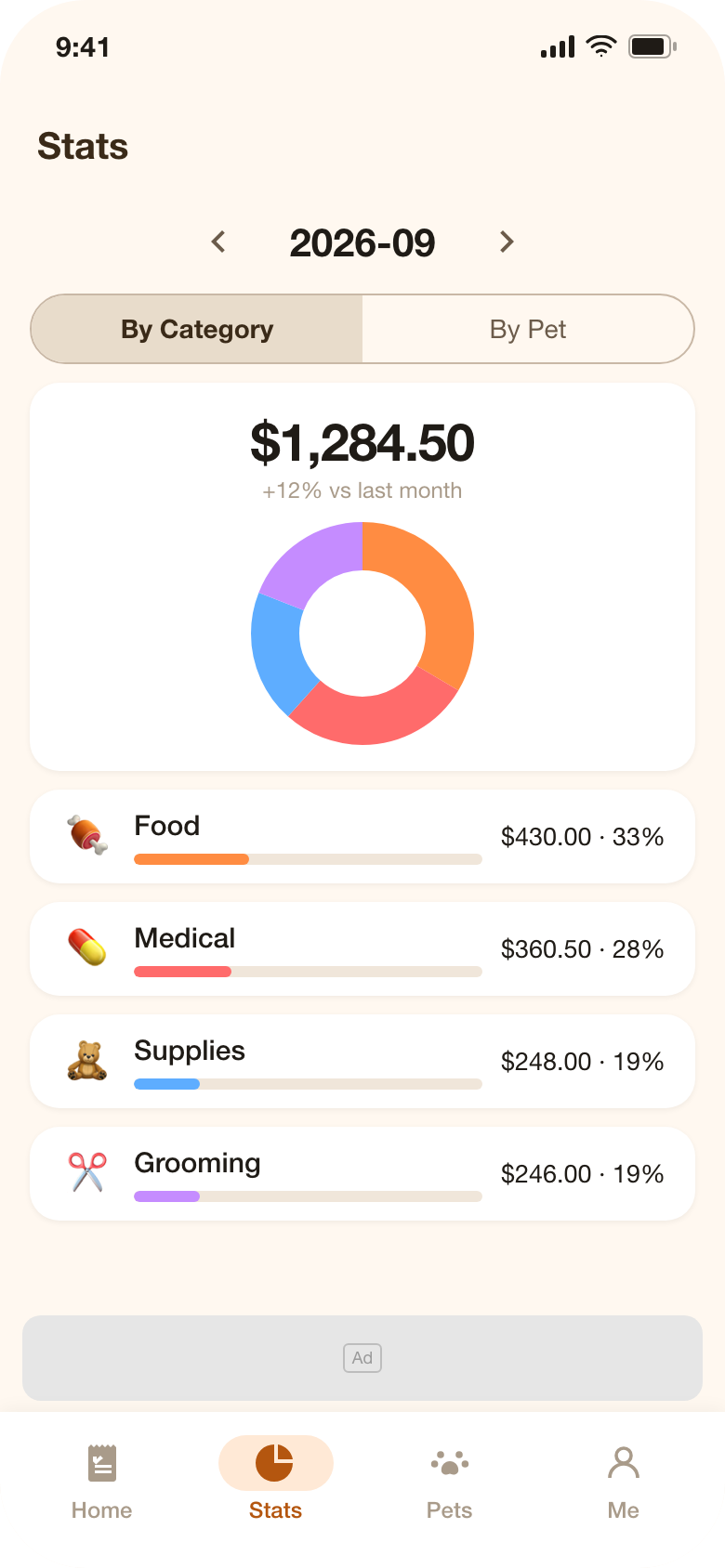
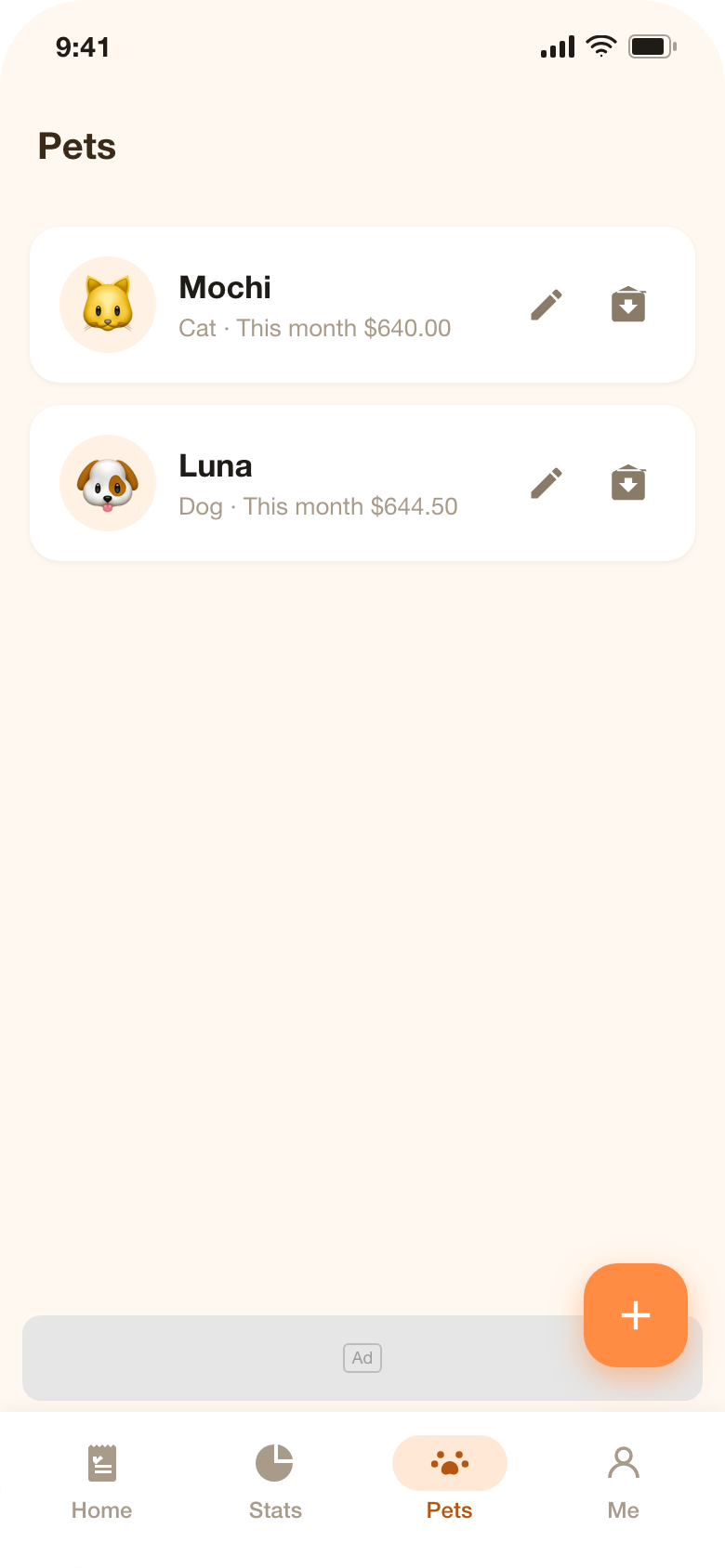
Screenshots on this page show the current interface of the application with sample entries, created on this website to illustrate the product.
What it does
Log an entry in seconds
Tap the plus button, enter the amount, choose one of six categories and the pet it belongs to, add an optional note and date, then save. The panel closes over the list - no page changes and no dialogs to dismiss.
A profile for every pet
Give each animal a name, an emoji avatar, a species of cat, dog or other, and an optional birthday. Pets you no longer track can be archived and restored without losing their history.
Monthly statistics by category
A hand-drawn donut chart splits the month across the six categories with amounts and percentages, next to the change against the previous month, and you can step back through earlier months.
Compare pets side by side
A bar chart compares every pet for the current month or the whole year; tapping one bar opens that pet's category breakdown.
Budgets that warn before you overspend
Set a monthly limit and the progress bar turns amber at 80 percent and red once it is passed, with a local reminder that fires once per threshold. Per-pet budgets are part of the upgrade.
Annual report you can share
A yearly page summarises total spend, a twelve-month column chart, the three largest categories and a ranking by pet, and renders the whole thing as an image you can share.
Backups and exports
Export the whole database as JSON and import it on another device, with a confirmation before anything is replaced. CSV export is available in the upgraded version for your own spreadsheets.
Details at a glance
- Platforms
- iPhone and iPad (iOS 15.0 or later), Android 5.0 or later
- Languages in the app
- English, Chinese, German - switchable inside the app
- Where your records live
- A local database on the device; nothing is uploaded
- Account required
- No
- Pricing
- Free version with a banner ad; a one-time in-app purchase removes the ad and unlocks comparison, annual report, per-pet budgets and CSV export
- Category
- Lifestyle - pet spending
Privacy and your data
Petexpense stores pet profiles, expense entries, budgets and app settings in a database file on your device. We do not operate a server that receives this content, so we cannot see, search or sell it, and uninstalling the app deletes it.
The free version displays a Google AdMob banner. Google may use device identifiers to serve that banner, and Google's own privacy policy explains how it uses that data; the one-time purchase removes the banner entirely. Any purchase is processed by the App Store or Google Play, which pass us only the information needed to record the transaction.
Questions and answers
Does Petexpense need an internet connection?
No. Recording, statistics, budgets, the annual report and backups all work offline. A connection is only needed for the banner advertisement in the free version and for the purchase itself.
What does the one-time purchase add?
It removes the banner advertisement and unlocks pet comparison charts, the annual report, budgets per individual pet and CSV export. Nothing that works in the free version stops working.
How do I move my records to a new phone?
Open the app on the old device and choose Backup export (JSON) in the profile tab, then use Import backup on the new device. Import replaces the data on the target device, and the app asks you to confirm before it does.
I deleted an entry by mistake. Can I get it back?
Deleting an entry is permanent unless you have a more recent JSON backup, so make a backup regularly - the export takes a few seconds and costs nothing.
Who do I contact if something is wrong?
Email contact@yingzhichu.com or call +86 18515331983 during business hours. Tell us your device, operating system version and app version, and attach a screenshot or the JSON backup if the problem concerns your data.