FirstTick
Pomodoro focus timer
A pair of friendly eyes that keeps you focused
Now on Google Play
Overview
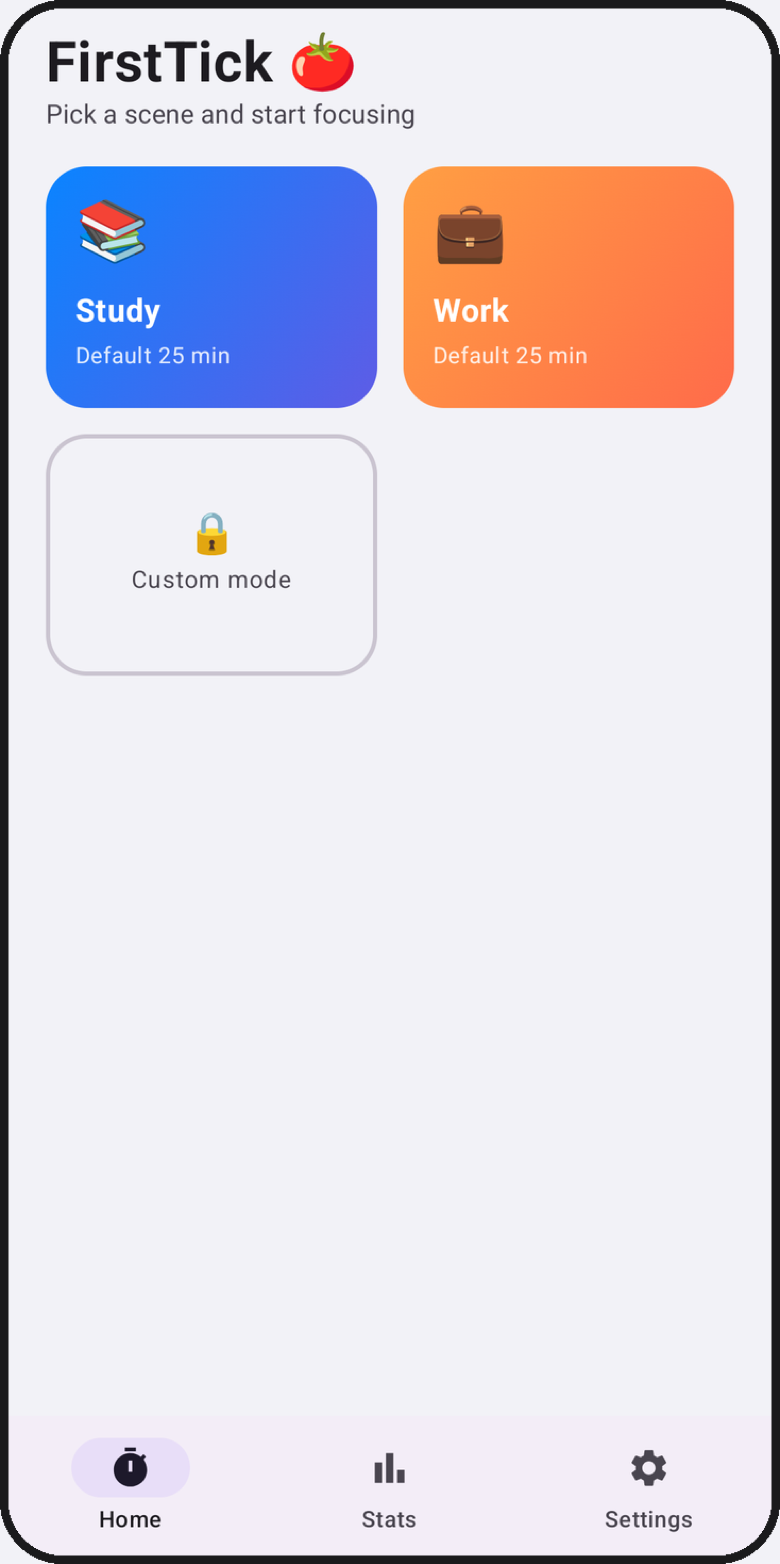
FirstTick is a Pomodoro focus timer built around scenes. The home screen offers a Study card and a Work card, each with a classic 25-minute countdown, so starting a focus session is a single tap - no setup, no account, no decisions to make before you can begin.
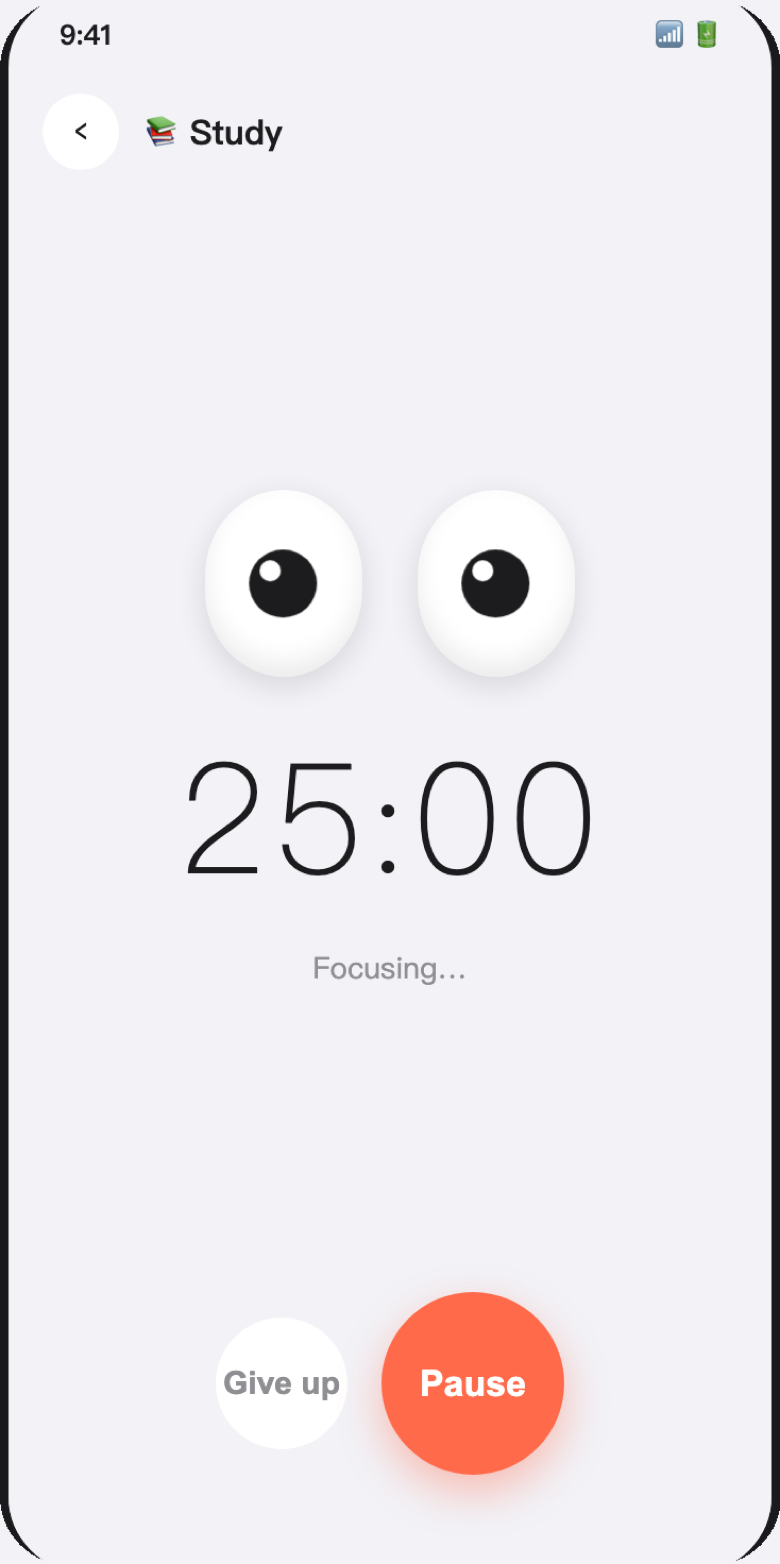
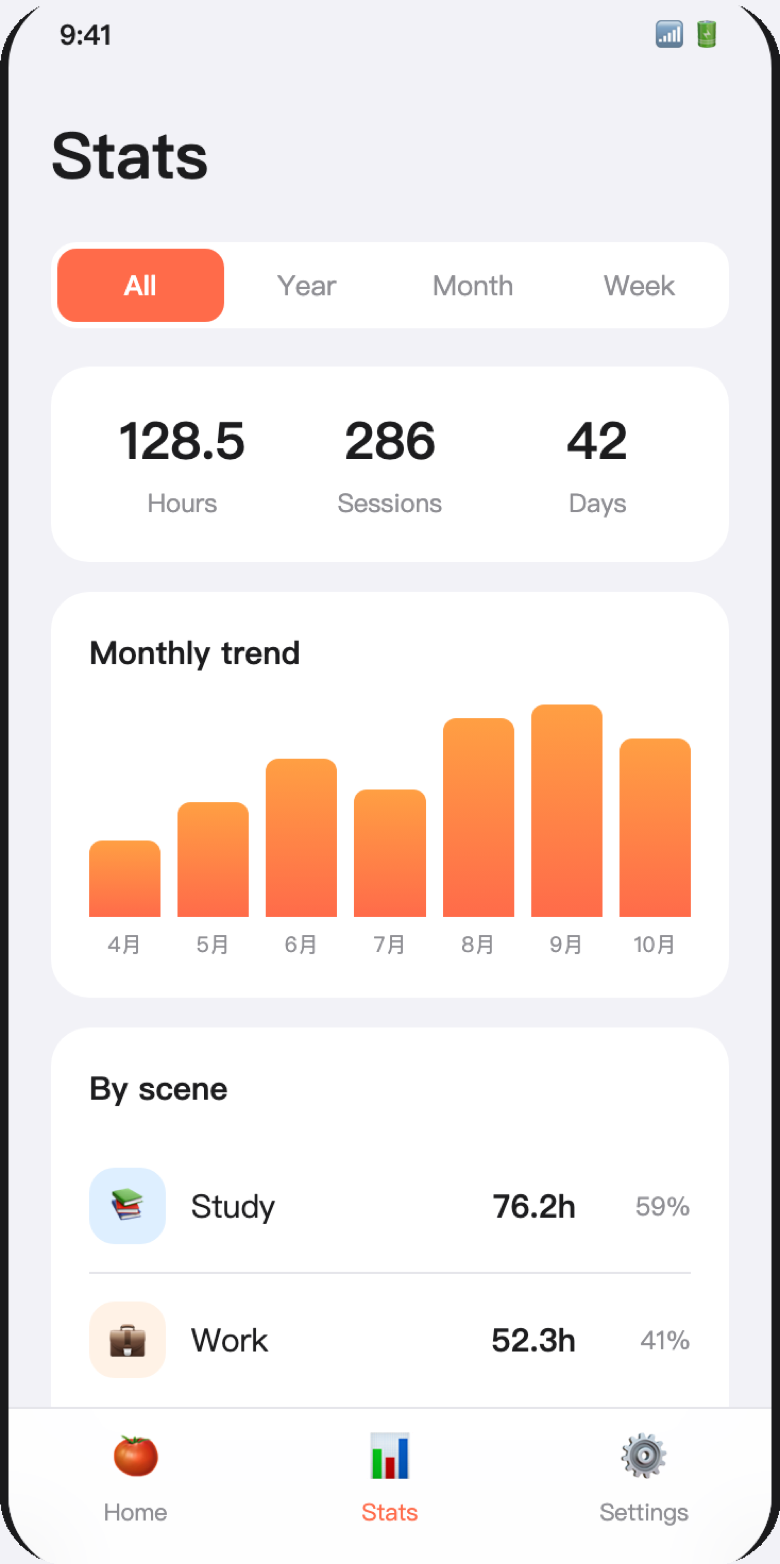
While the timer runs, a pair of big eyes watches over the countdown with you, a small companion that makes staying on task feel less lonely. Finished sessions flow into a statistics page that totals your hours, sessions and focused days, draws a monthly trend chart and breaks your time down by scene. Everything is stored on your device, and the app speaks nine languages with light, dark and system themes.
Screenshots
The screenshots on this page are the application's Google Play listing captures, with the interface shown in English.
What it does
Scene-based focus timers
Pick a scene - Study or Work - and the matching countdown starts. Each scene keeps its own default length, so the timer you reach for is always one tap away.
A big-eyes companion
The countdown page is watched over by a pair of animated eyes that stay with you while you focus. Pause or give up at any time; the session only counts when you finish it.
Statistics that add up
The stats page totals your focused hours, sessions and days across all time, the year, the month or the week, with a monthly trend chart and a per-scene breakdown in hours and percent.
Nine languages, three themes
The interface switches between Simplified and Traditional Chinese, English, Japanese, Korean, French, German, Spanish and Portuguese, and follows a light, dark or system appearance of your choice.
Custom modes with Pro
A Pro subscription unlocks custom focus modes, your own photo as the countdown background, custom countdown colours and your own reminder sound, and removes all advertising.
Reminders that reach you
When a countdown finishes in the background, a local notification and your chosen sound bring you back - no network needed, nothing leaves the device.
Details at a glance
- Platforms
- iPhone and iPad (iOS 17.0 or later), Android 8.0 or later
- Languages in the app
- Simplified Chinese, Traditional Chinese, English, Japanese, Korean, French, German, Spanish, Portuguese - switchable inside the app
- Where your records live
- A local database on the device; nothing is uploaded
- Account required
- No
- Pricing
- Free version with ads; a Pro subscription ($6.99 monthly or $29.99 yearly) removes ads and unlocks custom modes, backgrounds, colours and reminder sounds
- Category
- Productivity - focus timer
Privacy and your data
FirstTick stores your focus records - the scene, duration and completion of each session - together with your theme, language and reminder settings in a database on your device. Custom background images and reminder sounds you pick never leave your device either. We do not operate a server that receives any of this, and uninstalling the app deletes it.
The free version displays advertisements provided by Google AdMob, which may use device identifiers to serve and measure ads under Google's own privacy policy; the Pro subscription removes them entirely. Subscriptions are processed by the App Store or Google Play, which pass us only your entitlement status, never your payment details. The full legal text is available in nine languages through the link below.
Read the user agreement and privacy policy in nine languages
Questions and answers
Does FirstTick need an internet connection?
No. Timing, statistics, themes and backgrounds all work fully offline. A connection is only needed for the advertisements in the free version and for buying or restoring the Pro subscription.
What does the Pro subscription add?
Pro removes all advertising and unlocks custom focus modes, a photo from your library as the countdown background, custom countdown colours and your own audio file as the reminder sound. Everything in the free version keeps working without it.
How do I cancel my subscription?
Subscriptions are managed by the store you subscribed through. On iPhone open Settings, tap your Apple account and choose Subscriptions; on Android open Google Play and choose Payments and subscriptions. Cancelling stops the next renewal - the current period stays active.
What happens to a session if I give up halfway?
A session only appears in your statistics when the countdown finishes. Giving up or closing the app discards that session, so the totals always reflect focus time you actually completed.
Is my focus history sent anywhere?
No. Sessions are stored in a local database on your device and never uploaded, so we cannot see or recover them. Deleting the app deletes the history with it.
Who do I contact if something is wrong?
Email contact@yingzhichu.com or call +86 18515331983 during business hours. Tell us your device, operating system version and app version, and describe what you expected the timer to do.